The terminal IDE for the Mac.
A fast terminal with command blocks, a code editor, git review and history, and first-class support for the coding agents you already run. One native window.
A scripted demo running in your browser. The real thing runs your own shell.
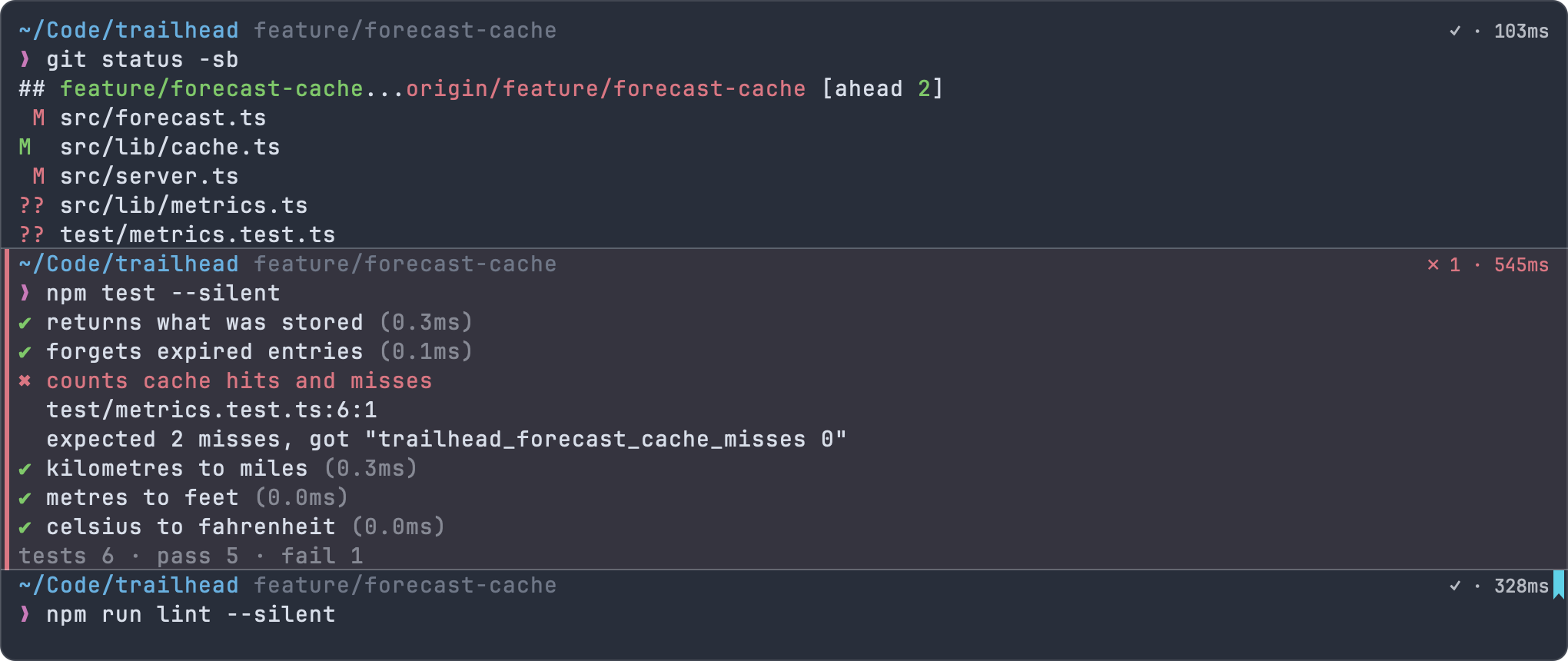
Every command is a block.
Each command and its output stay together, with how it exited and how long it took. Copy one, run it again, bookmark it, or hand it to an agent. A failed command is marked in red, so you find it when you scroll back.
- An input bar with shell highlighting, history (⌃R) and completions for subcommands, options, branches and scripts
- An underline under commands your shell can’t run, before you press Return
- Find with regex, hints mode for URLs, paths, SHAs and ports, and notifications when long commands finish
- Shell integration for zsh, bash and fish that never touches your dotfiles
Made for the agents you already use.
Impulse sees when a coding agent is working in one of its terminals and when it’s waiting for you. Every turn is checkpointed, so you can review exactly what it changed, put files back the way they were, or send review comments back to it.
Impulse never calls an AI service itself. It runs the agent tools you install, in your terminals.
Agents in the docs →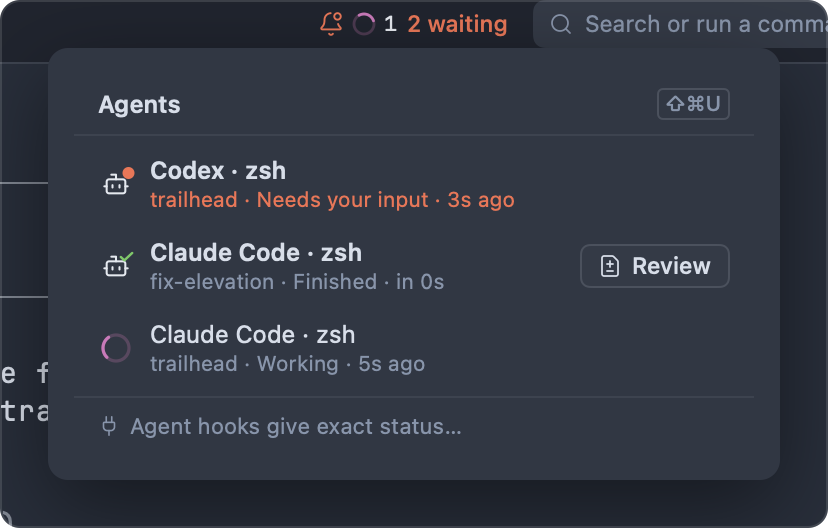
Read every change before it lands.
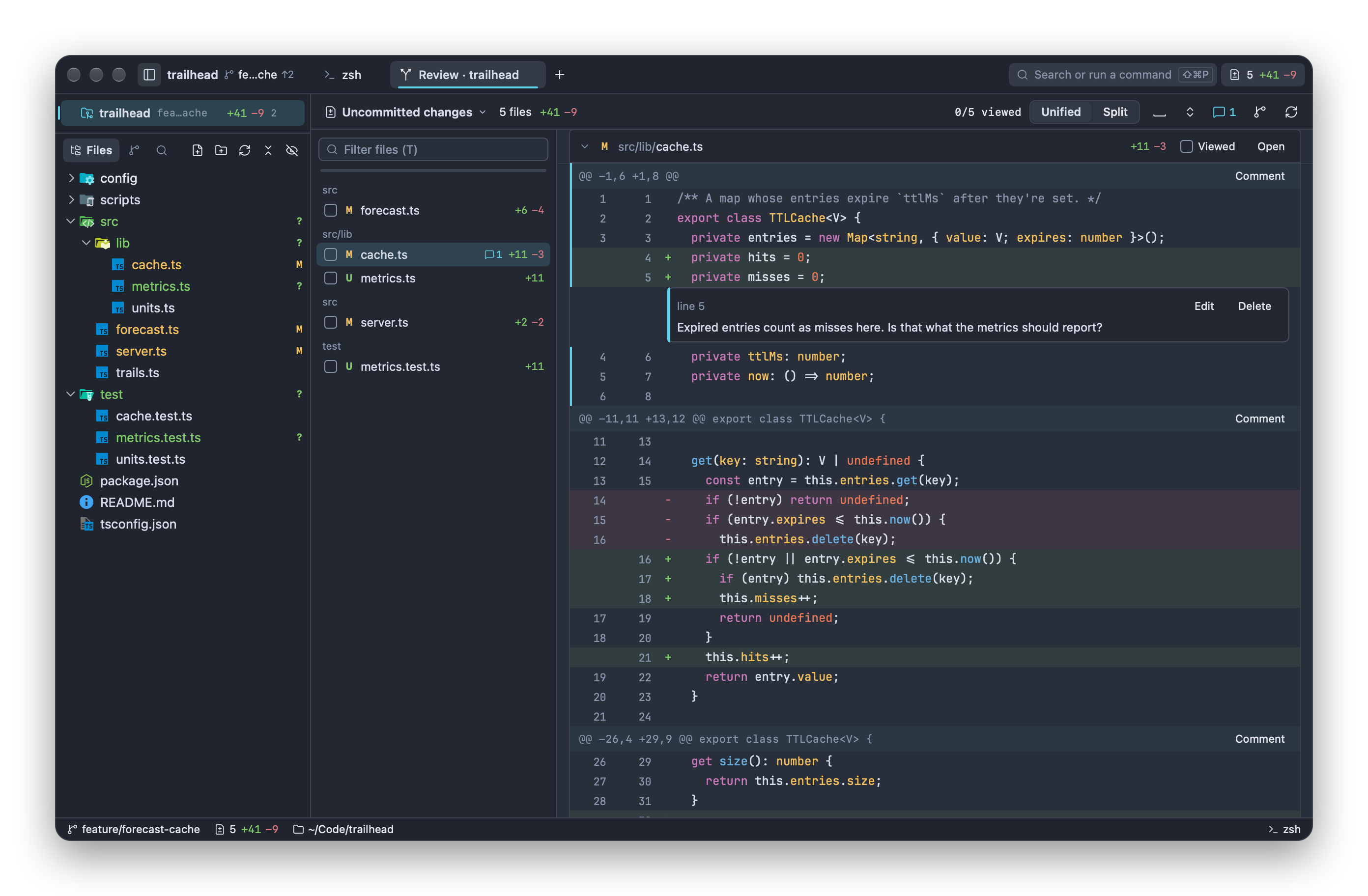
Review your uncommitted work, a branch, a commit, a stash, or just the last agent turn. Stage hunks or single lines, mark files as viewed, and leave comments on lines that you can send straight to the agent that wrote them.
- Unified or split diffs with word-level highlighting and syntax colors
- GitHub pull request threads beside the code, through
gh - Destructive git operations take a snapshot first, so you can undo them
History you can actually follow.
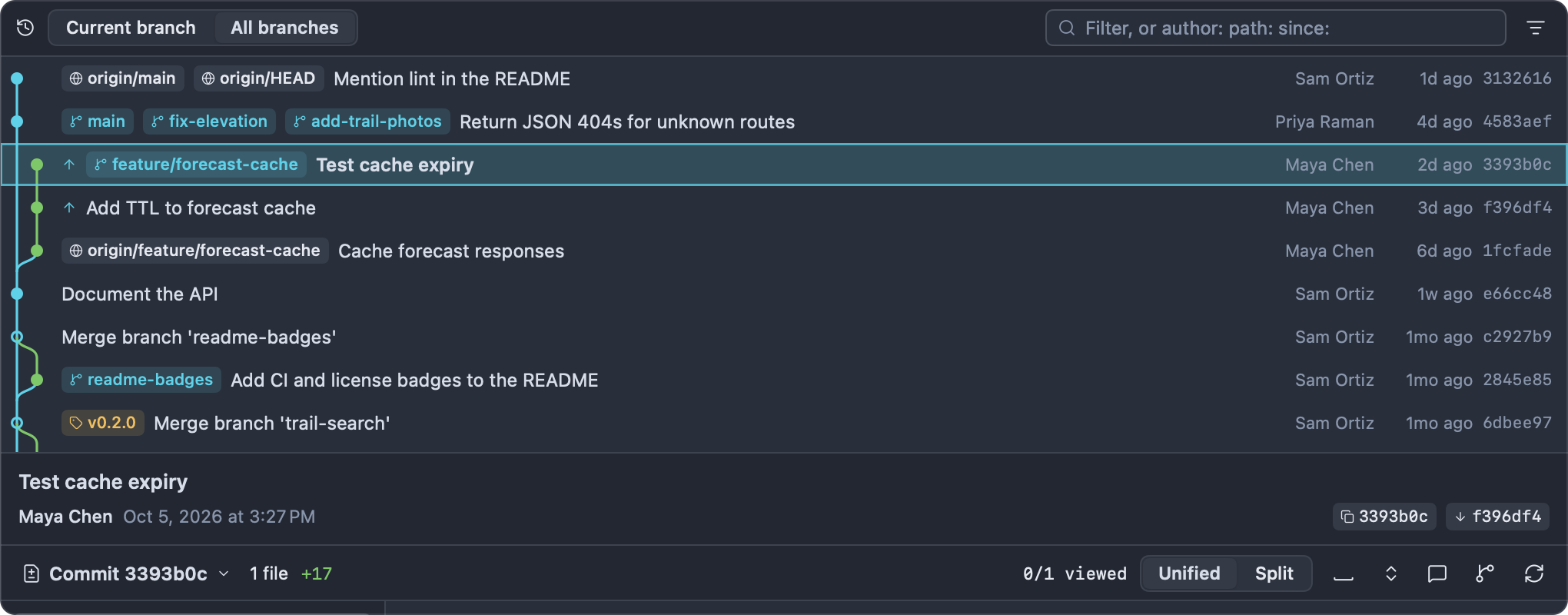
A commit graph across every branch, with filters by author, path and date, and the selected commit’s diff underneath. Compare any two points, then merge, rebase, tag or open the commit on GitHub without leaving the window.
- A Changes panel with a commit composer you can drive from the keyboard
- Branches, stashes, merge conflicts, fetch, pull and push from the Git menu or the palette
- Live change marks and inline blame in the editor
A real editor, right next to your shell.
The Monaco editor with language servers for TypeScript, Rust, Python, C and a dozen more, project-wide find and replace, Problems, Markdown preview and an editable side-by-side diff. Vim mode is a setting away.
The editor in the docs →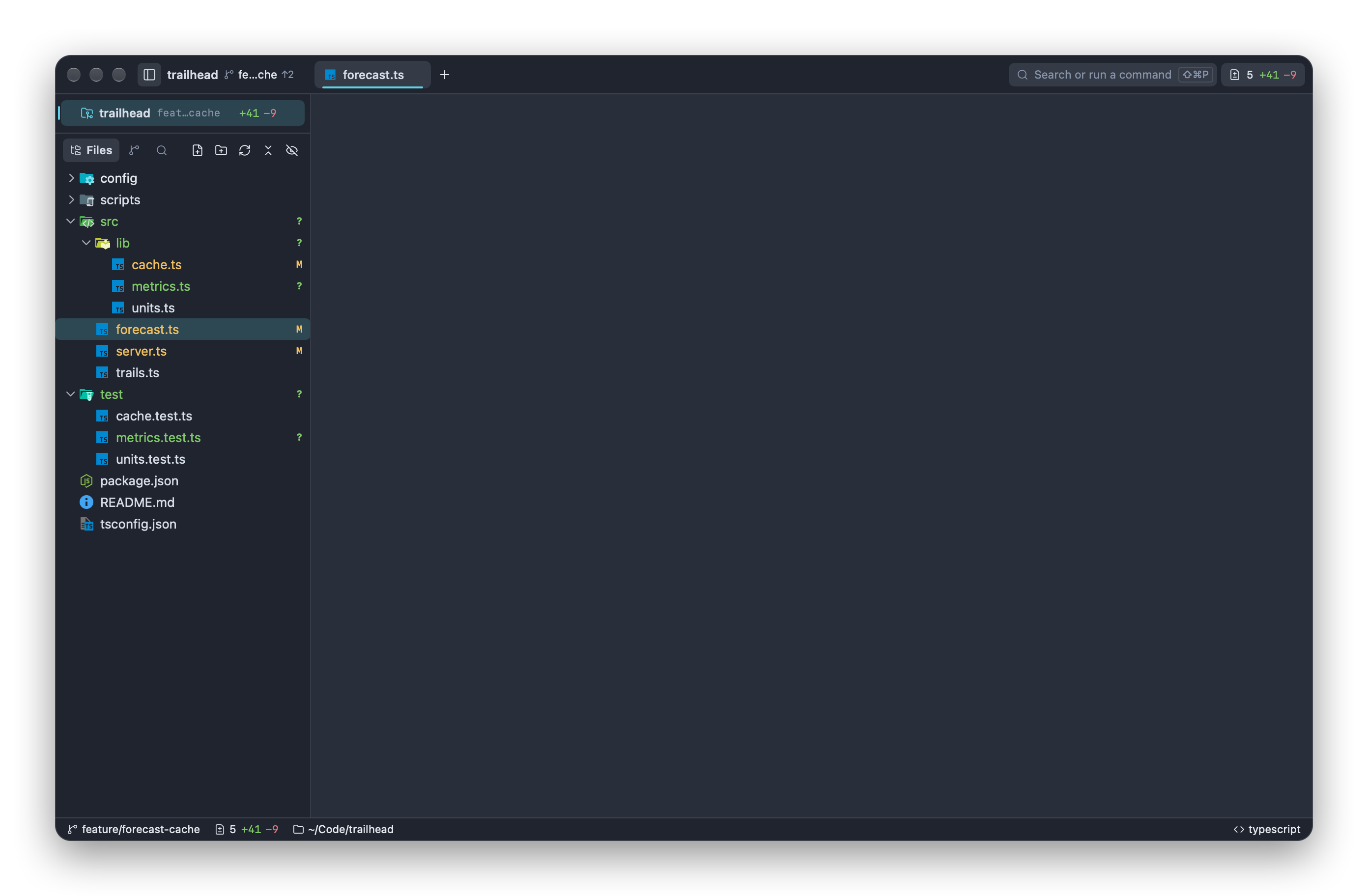
And the rest of the workbench.
Command palette
Files, > commands, : lines, @ symbols, tabs, branches, history, pull requests and settings in one field.
Tasks
A branch in its own worktree, opened as its own workspace. Run two agents side by side without stashing anything.
Splits and sessions
Split any tab into panes. Quit and come back to every window, workspace, layout and terminal’s output.
The impulse command
Open files, start a review, split panes and post notifications from any terminal. Make it your $EDITOR.
Themes and settings
19 built-in themes plus your own TOML themes. Every setting searchable, every shortcut yours to change.
Workspace trust
Language servers, formatters and background fetch only run in folders you’ve said you trust.
AppKit and SwiftUI, built for macOS Tahoe. No Electron, no web view for the terminal.
Terminal emulation on alacritty_terminal, drawn with Core Text.
No account, no telemetry. Impulse never calls an AI service itself. GPL-3.0.

Get Impulse.
Download the disk image, drag Impulse to Applications, and open a folder.